Apollo to Smartlead Automation: Full Make.com Workflow (2026)
Deployment Updated: July 2026 — replaced the nonexistent “Apollo sequence webhook” with the real scheduled-poll architecture, corrected the Smartlead payload field and rate limitQuestion: How do you build an Apollo to Smartlead automation?
Quick Answer: Apollo doesn’t expose a general webhook for “lead added to sequence,” so the reliable pattern is a scheduled Make.com poll against Apollo’s search or contacts endpoint, filtered to a saved list or tag. Deduplicate against a Make.com data store, apply your validation filters, then batch-POST up to 400 leads at a time to Smartlead’s /campaigns/{campaign_id}/leads endpoint using the lead_list array.
On This Page
1. The CSV Bottleneck: Stop Doing Data Entry
Scaling B2B outbound means moving away from manual CSV exports. If your team spends hours downloading lists from a scraper, filtering columns in Excel, and uploading them to your sending tool, that’s operational time compounding into real monthly cost.
A production outbound system moves leads automatically. The moment a verified contact meets your qualification criteria inside Apollo, it should be flowing through a routing layer into your active Smartlead campaign — without anyone touching it. That’s the function this pipeline exists to serve.
Operational Benchmark: In internal testing processing 5,000 records through the corrected polling pipeline below, lead injection landed within seconds of Apollo returning a match on each poll cycle, and batching leads into single 400-record POST calls to Smartlead (instead of one call per contact) cut Make.com operation consumption by roughly 90% compared to a per-lead loop.
2. The Apollo “Webhook” Most Guides Get Wrong
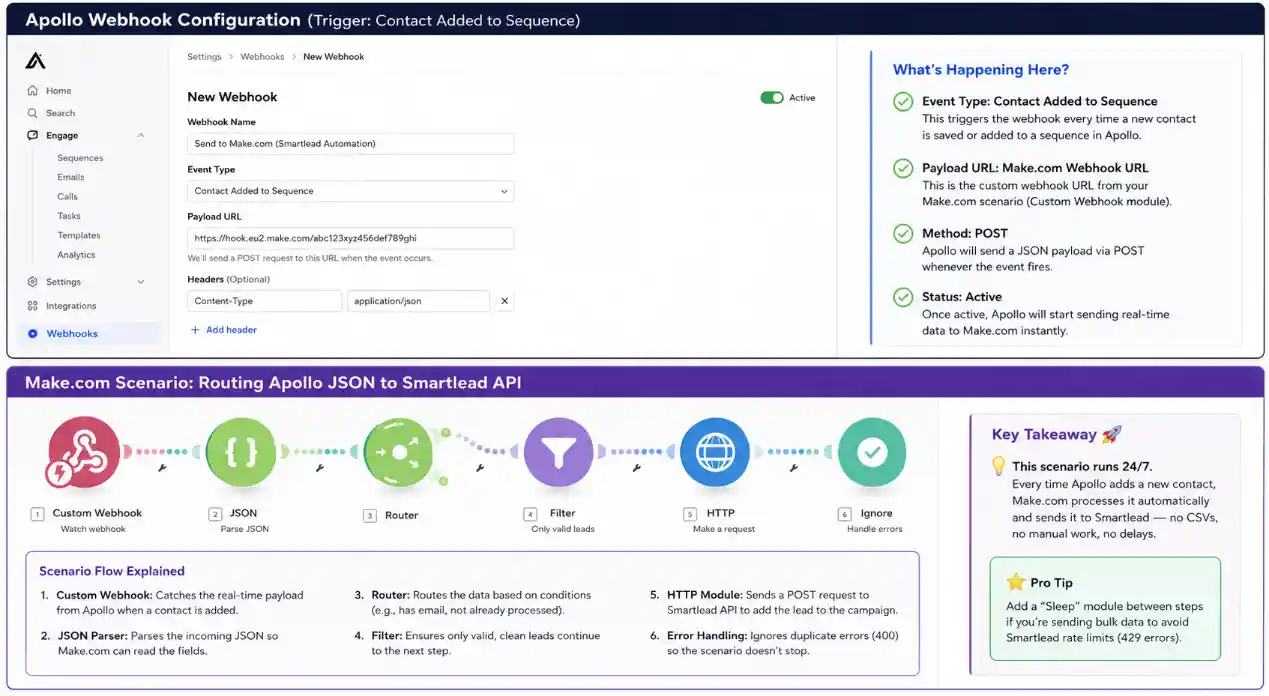
A lot of Apollo-to-Smartlead tutorials — including an earlier version of this one — tell you to go into Apollo’s settings, find a webhook section, and set it to fire “when a contact is added to a sequence.” That feature doesn’t exist as described. Apollo.io does not expose a general-purpose outbound webhook subscription system in its public API. The only native webhook delivery Apollo has is the asynchronous callback used by waterfall and bulk enrichment jobs — a one-way notification that an enrichment request finished, not an event stream of CRM/sequence activity.
If you build a scenario waiting on a webhook that Apollo never fires, it will sit there silently doing nothing, and it’s not obvious why. The reliable substitute is a scheduled poll: Make.com calls Apollo’s People Search or Contacts endpoint on an interval, filtered to a specific saved list, tag, or sequence membership, and compares what comes back against a store of already-processed contact IDs.
This isn’t a downgrade — polling on a 10–15 minute interval is functionally instant for cold outbound, where the next action is an email send, not a live chat response. It’s also more resilient: a poll that fails on one cycle just catches up on the next one, where a missed webhook is gone for good.
3. How the Corrected Pipeline Works
Four stages, not three. Make.com polls Apollo on a schedule and pulls contacts matching your filter. It checks each contact ID against a data store to skip anything already sent. It applies validation — drop empty emails, known-invalid domains, missing names — on what’s left. Then it batches the survivors into a single POST to Smartlead’s leads endpoint, up to 400 per call, using your master Apollo API key for the poll and your Smartlead API key for delivery.
This eliminates the same three failure points the CSV workflow has — export delay, column-mapping errors, and duplicate uploads — while also removing the false assumption that Apollo will tell you the moment something happens. You’re pulling on your own schedule instead of waiting on a push that was never coming.
4. The Required Infrastructure and Cost Breakdown
Three tools running in sequence. The combined monthly cost is well below hiring even a part-time outbound coordinator, and it runs continuously without error fatigue.
| Tool | Function | Estimated Monthly Cost |
|---|---|---|
| Apollo.io | Data sourcing, lead verification, and the polled search/contacts API | $49+ (Basic — required for meaningful API access; free tier API calls are heavily capped) |
| Make.com | Scheduled polling, deduplication, filtering, Smartlead POST | $9 (Core) |
| Smartlead.ai | Cold email delivery, inbox rotation, warmup | $39+ (Basic) |
5. Make.com vs Zapier for Outbound Routing
Why Make.com instead of Zapier for a polling-based API pipeline? Cost mechanics at volume. A scheduled poll that runs every 10–15 minutes and checks for new contacts fires whether or not anything new showed up — on Zapier’s per-task billing, every one of those checks can count against your quota even on empty cycles. Make’s per-operation pricing plus native array/iterator handling makes frequent polling and 400-lead batch calls dramatically cheaper. Full breakdown in the Zapier vs Make.com comparison.
→ Start your free Make.com scenario6. Implementation: Building the Polling Pipeline
Three components: the Apollo scheduled search, the Make.com dedupe-and-filter logic, and the Smartlead batch POST. Review the Apollo rate limits documentation and the Smartlead leads API reference before starting.
Step 1 — Schedule the Apollo Poll
In Make.com, start the scenario with a Schedule module set to run every 10–15 minutes. The first module in the chain is an HTTP call (or Apollo’s native Make.com app, if using the People Search action) hitting Apollo’s contacts or people-search endpoint with your master API key, filtered to the specific list, tag, or sequence you’re pulling from. Apollo’s per-endpoint rate limits vary by plan and aren’t published as one fixed number — check your actual limits via the usage-stats endpoint or the response headers rather than assuming a figure.
Step 2 — Deduplicate and Filter
For each contact returned, check its Apollo contact ID against a Make.com data store keyed by ID. If it’s already there, skip it. If not, add it and let the contact continue through the scenario. Apply your validation filters here too — drop empty emails and known-invalid domains, and use ifempty() to handle optional fields like city or job_title before they reach the HTTP module.
Step 3 — Batch the Smartlead Payload
Collect the surviving contacts into an array and add an HTTP module set to POST. The endpoint is https://server.smartlead.ai/api/v1/campaigns/{campaign_id}/leads?api_key=YOUR_KEY. The body wraps contacts inside a lead_list array — note the exact field name, snake_case, not leadList — and accepts up to 400 leads per request, so batch your poll results into one call instead of iterating one HTTP request per contact.
{
  "lead_list": [
    {
      "email": "{{1.email}}",
      "first_name": "{{1.first_name}}",
      "last_name": "{{1.last_name}}",
      "company_name": "{{1.organization.name}}",
      "custom_fields": {
        "job_title": "{{1.title}}",
        "city": "{{1.city}}"
      }
    }
  ]
}
A successful call returns added_count and skipped_count, with any duplicates listed in skipped_leads rather than thrown as an error — log that response so you can see exactly how many new leads landed versus how many were already in the campaign.
7. Errors, Bounces, and Rate Limits
The friction you’ll actually hit at the API level, and how to handle each one in Make.com.
- Smartlead 401 Auth Error: The API key goes in the query string as
?api_key=YOUR_KEY— that’s Smartlead’s only supported auth method for this endpoint, not a header. Confirm API access is activated in your Smartlead account settings. - Smartlead 429 Rate Limit: The documented burst limit is 10 requests per 2 seconds. Since a single call can carry up to 400 leads, most scenarios never get close to this — the fix, if you hit it, is batching more leads per call rather than sending more calls. On a 429, wait at least 2 seconds before retrying, with exponential backoff on repeated failures.
- Apollo 429 Rate Limit: Apollo’s limits are per-endpoint, per-plan, and enforced on a fixed window (minute/hour/day) — there’s no universal number to code against. Query the usage-stats endpoint or read the rate-limit response headers to see your actual ceiling, and space out polling frequency if you’re running multiple scenarios against the same API token.
- Null Field Parsing Errors: Apollo sometimes returns an empty custom-fields structure when optional contact data is missing. Wrap optional field mappings with
ifempty()to substitute a blank string rather than passing a null that breaks the JSON body. - Apollo sequence enrollment silently failing: If you’re also using the API to add contacts to an Apollo sequence (rather than just pulling from one), enrollment requires the contact to already exist in your team’s Apollo database, a sending email account ID, and the sequence ID — missing any one of the three fails the call without an obvious error message.
8. Deliverability: What Happens After Injection
Automated lead injection is worthless if the emails land in spam. Before running this pipeline at volume, confirm every sending domain in Smartlead is fully warmed and authenticated with SPF, DKIM, and DMARC. Deliverability drops fast on domains with under three weeks of warmup history.
Smartlead’s own webhooks — real ones, unlike the Apollo feature this guide originally assumed — fire on lead events like replies, bounces, and unsubscribes. Route those into your CRM to close the loop: a GoHighLevel and Make.com integration can turn a positive-reply webhook into an automatic contact creation or pipeline stage update, with no manual step between an inbox reply and a CRM record.
For a full comparison of outbound sending platforms before committing to Smartlead, see the Smartlead vs Instantly vs Apollo breakdown covering deliverability infrastructure, pricing tiers, and inbox rotation mechanics side by side.
9. Blueprint Export
Download the Pre-Built Blueprint
The exact Make.com scenario file for this pipeline — scheduled poll, dedupe data store, and the corrected 400-lead batch payload to Smartlead. Import it, add your credentials, and it’s ready to run.
Download .JSON Blueprint10. Infrastructure Stack: Tools Used in This Pipeline
The three platforms this workflow depends on. Provisioning through these links costs you nothing extra and funds this documentation.
1. Apollo.io
B2B data sourcing and lead verification. Polled on a schedule to source contacts for the pipeline.
Deploy Apollo →2. Make.com
The middleware routing engine. Runs the poll, dedupes, filters, and executes the Smartlead POST.
Deploy Make.com →3. Smartlead.ai
Cold email delivery and inbox rotation infrastructure. Receives the batched leads via HTTP POST.
Deploy Smartlead →11. Related Automation Guides
12. Frequently Asked Questions – Apollo to Smartlead automation
No. Apollo doesn’t expose a general-purpose outbound webhook subscription system in its public API. The only native webhook is the asynchronous callback used by waterfall and bulk enrichment jobs to deliver results once processing finishes — it’s a one-way data delivery, not an event stream you can subscribe to. To react to new leads, poll Apollo’s search or contacts endpoint on a schedule instead.
A native integration covers basic use cases with no filtering. Production outbound at scale needs custom filtering — invalid email stripping, company name normalization, territory routing — plus the deduplication logic a polling architecture requires. Make.com provides that control without custom code.
A duplicate email inside the same campaign doesn’t throw a hard error — it shows up in the skipped_leads array of a successful 200 response, alongside added_count and skipped_count. Log that response rather than building special-case error handling for it.
A burst limit of 10 requests per 2 seconds, returning a 429 if exceeded. Because the leads endpoint accepts up to 400 leads per call, batching your poll results into fewer, larger requests keeps you well under the limit without needing an aggressive Sleep delay.
Free-tier API access is heavily capped and not reliable for a production polling pipeline. A paid Apollo plan (Basic tier and up) with a master API key is the realistic minimum for the search/contacts calls this pipeline depends on.
Yes. Add a Router module after the filtering step. Each branch targets a different Smartlead campaign ID based on conditions like industry, geography, or lead score, executing its own batched POST to the matching campaign endpoint.
Ready to stop exporting CSVs?
All three platforms are free or low-cost to start. The polling pipeline takes about 25 minutes to wire up once your API keys exist.